YOUR WORLD, CLOSE AT HAND

TimeSlider, wherever you are.

See how TimeSlider takes shape on watches, glasses, phones and desktops. Each preview identifies its capture or mockup, with development setup and availability below.

Updated 2026-10-05 · Store links will appear when reviewed releases are available.

Development app

Apple Watch

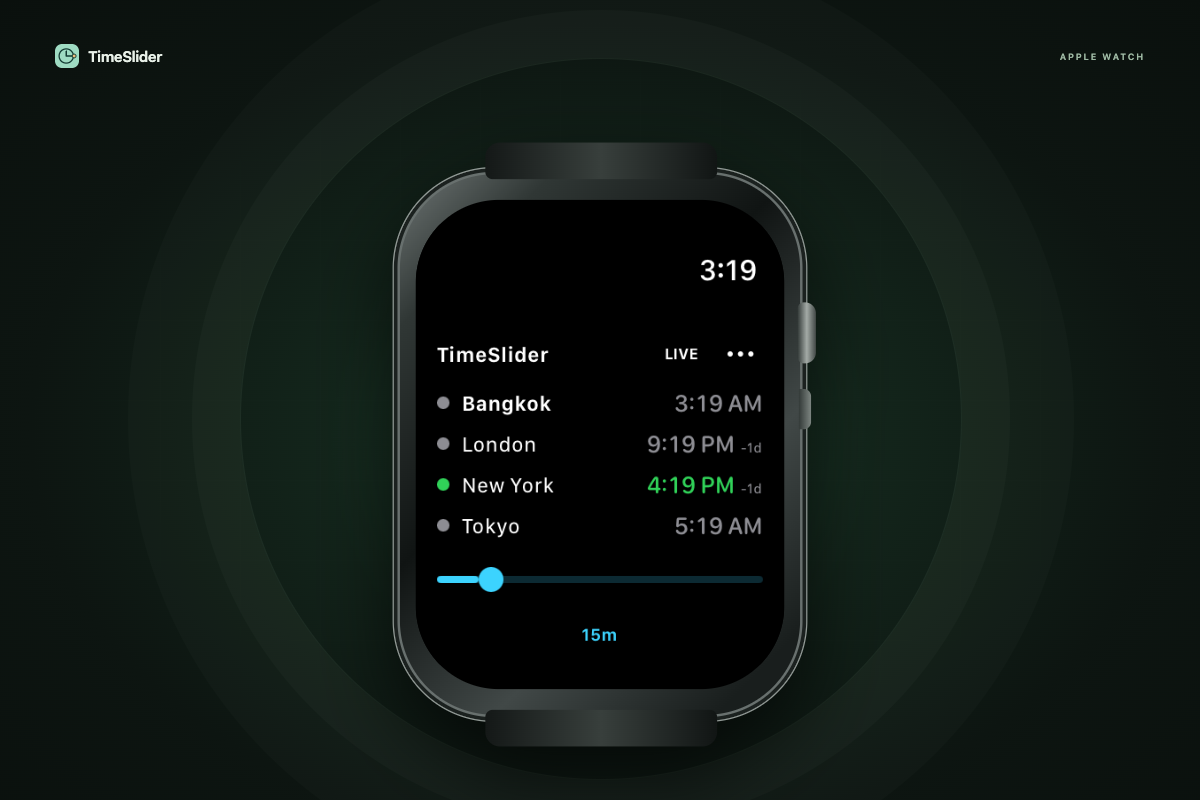
Four city clocks and one thin timeline. Turn the Digital Crown or drag in 15-minute, 30-minute or hourly steps.

TimeSlider’s watchOS simulator screen showing four compact city clocks, Live, a thin touch timeline and a 15-minute step setting inside an illustrated Apple Watch.
Simulator app capture · device mockup

Setup & availability

  1. Build the standalone watchOS app from the source checkout in Xcode.
  2. Install on a paired watch with your Apple Developer signing team. Simulator builds do not install on physical watches.
  3. A watch complication opens the interactive app. Continuous scrubbing happens in the app.

Source checkout: wearables/apple-watch/ · Guide: wearables/apple-watch/README.md

Before public release: Physical-watch testing, final icons/screenshots, Apple signing and App Store review.

No public store download is available yet.

Development app

Garmin

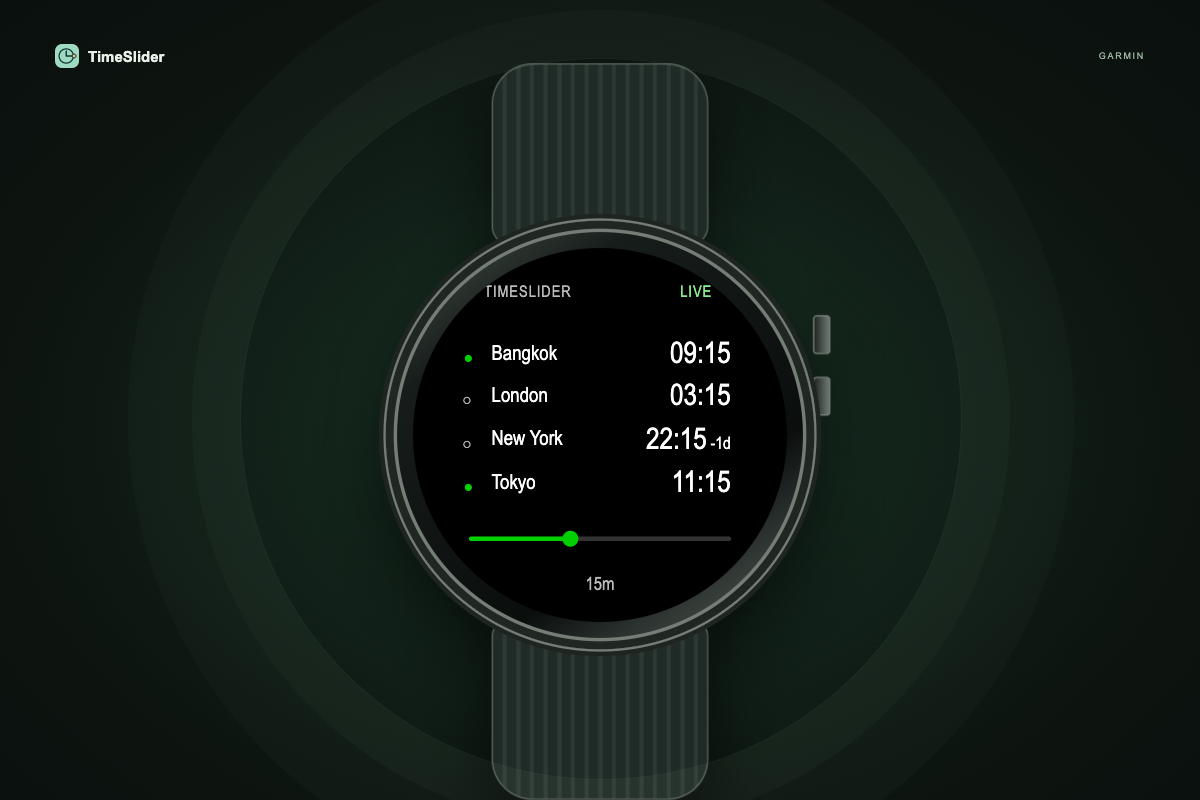
Four city clocks on one screen. Drag the timeline on touch models or scan with buttons, in 15-minute, 30-minute or hourly steps.

Code-based Garmin watch mockup showing four compact city times, availability dots, a timeline thumb, Live and a scan-step setting.
Coded interface · device mockup

Setup & availability

  1. Install Garmin's Connect IQ SDK and the target device definitions.
  2. Build the watch-app project in wearables/garmin using its README and a local developer key.
  3. Test touch on Venu 3 and buttons on Instinct 2 before packaging a Connect IQ Store submission.

Source checkout: wearables/garmin/ · Guide: wearables/garmin/README.md

Before public release: SDK compilation, simulator/device testing, final store assets and Connect IQ Store review.

No public store download is available yet.

Development app

Wear OS

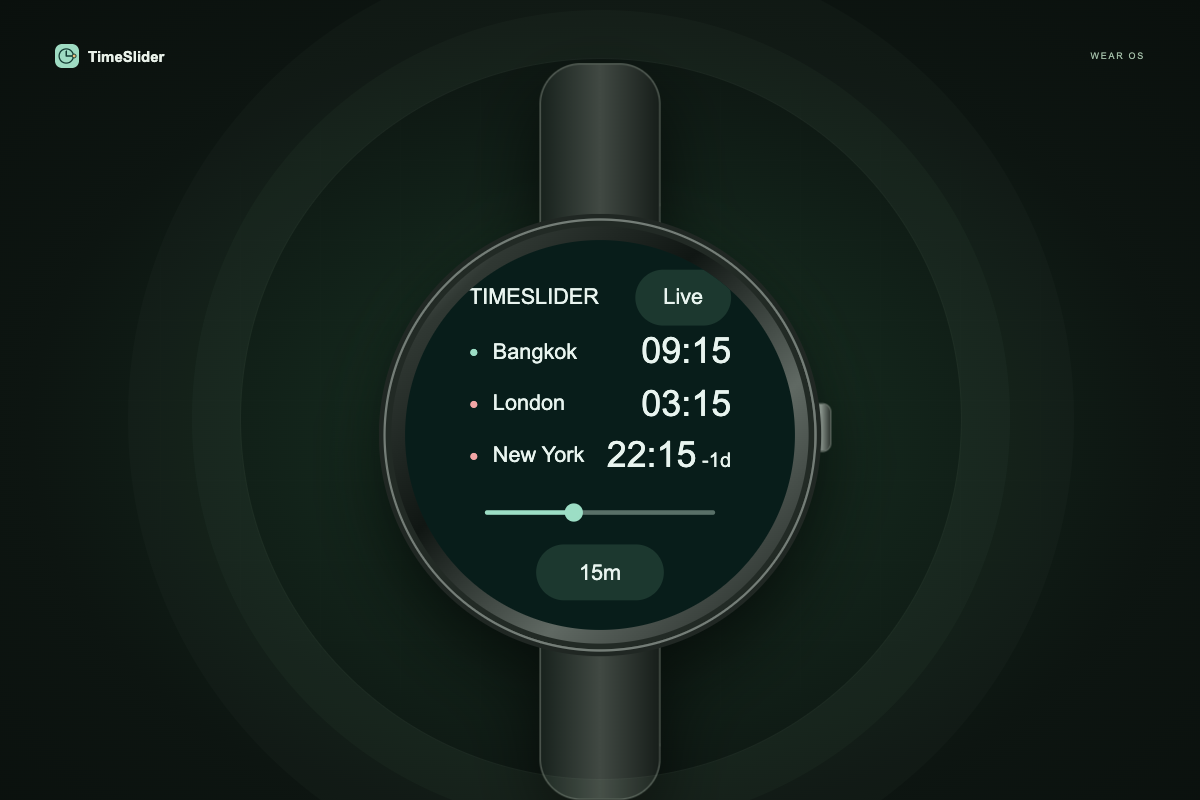
Three city clocks and one touch timeline. Use a supported crown or bezel, with 15-minute, 30-minute or hourly scanning.

Code-based Wear OS watch mockup showing three compact city times, availability dots, one timeline, Live and a scan-step setting.
Coded interface · device mockup

Setup & availability

  1. Requires Wear OS 3 or later. In the source checkout, run: cd wearables/wear-os && ./gradlew :app:assembleDebug
  2. Install app/build/outputs/apk/debug/app-debug.apk using ADB on a Wear OS watch or emulator.
  3. Run tests/lint and follow DEPLOYMENT.md to sign the Play bundle. No phone app is required.

Source checkout: wearables/wear-os/ · Guide: wearables/wear-os/README.md

Before public release: Round-screen and physical-watch testing, upload signing, store assets and Google Play review.

No public store download is available yet.

Development companion

Even Realities G2

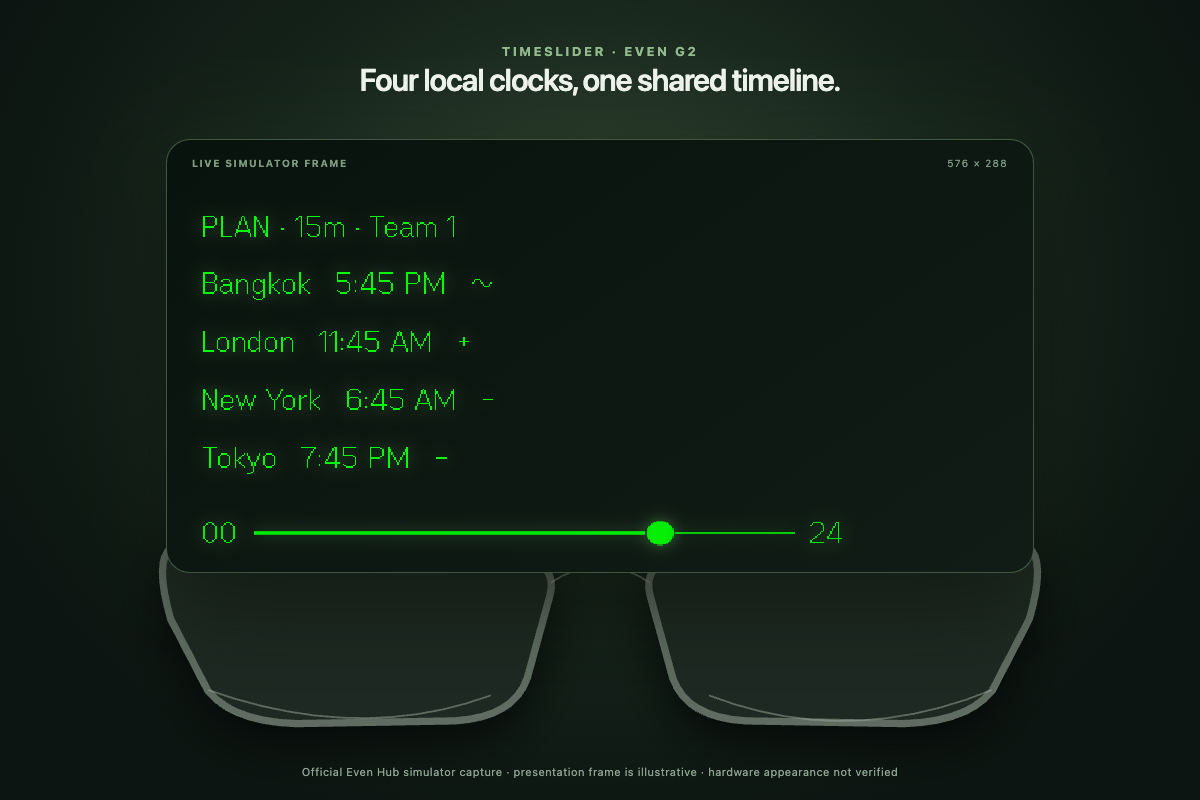
Your group’s clocks on a minimal green display. Swipe to scan time, see availability symbols and find a shared meeting time.

TimeSlider’s compact Even G2 display showing four named clocks, monochrome availability symbols and a local-day timeline above illustrated glasses.
Simulator display capture · illustrated device
Try the controls Browser preview

Setup & availability

  1. Use the glasses companion's README in the source checkout to run its browser preview and build the Even Hub app.
  2. The glasses integration needs the compatible Even host and real hardware. Browser preview alone does not validate glasses controls.
  3. Follow the included deployment instructions for HTTPS hosting, developer access and package submission.

Source checkout: glasses/ · Guide: glasses/README.md

Before public release: Hardware/host validation, final display/control checks and Even distribution approval.

No public store download is available yet.

Development web app

Meta Ray-Ban Display

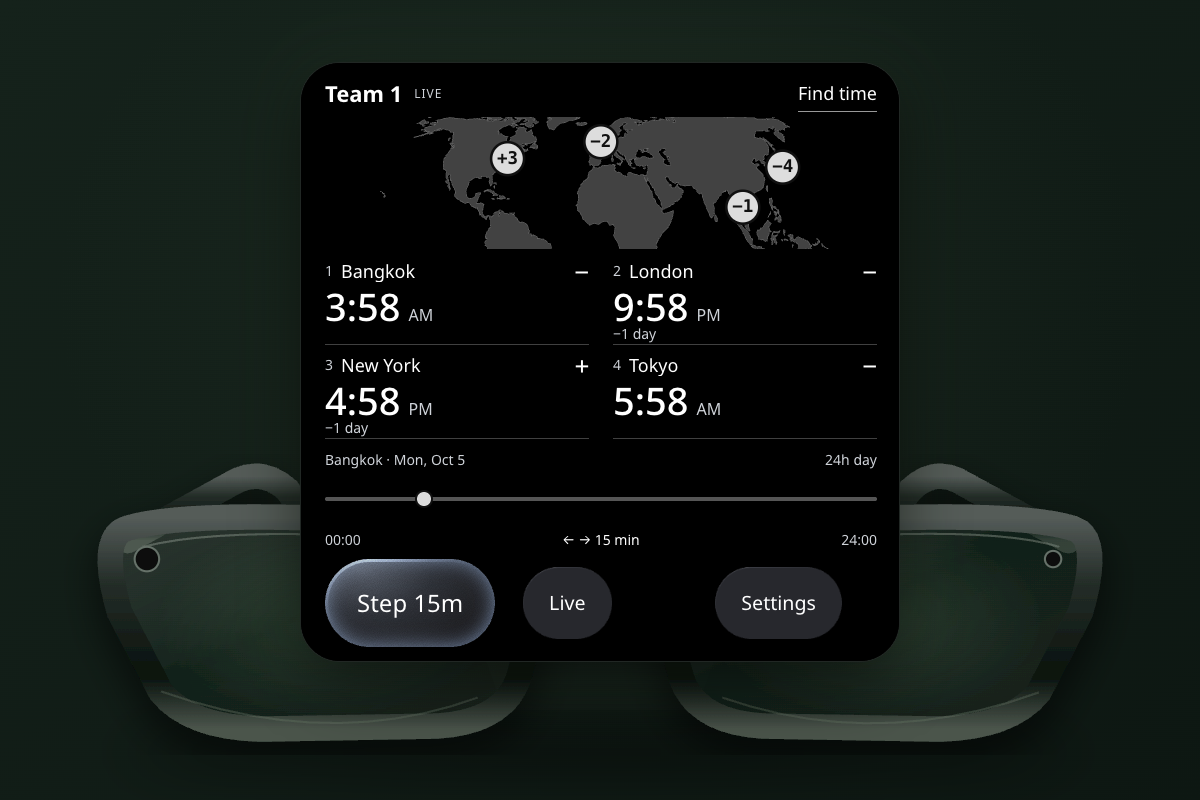
Your group’s clocks, a horizontal map and one timeline. Drag to scan time and find a shared meeting slot; manage people in settings.

TimeSlider’s Meta Display browser app showing a horizontal world map, four compact clocks, availability symbols and one timeline above illustrated glasses.
Browser app capture · illustrated device
Try the controls Browser preview

Setup & availability

  1. From a source checkout, use glasses/meta-display/README.md to install dependencies, run the browser preview and build the static web app.
  2. Host the build over HTTPS. On supported Ray-Ban Display glasses, enable Developer Mode in the Meta AI app, open App connections and Add a Web App using the hosted URL.
  3. Validate controls in Meta's browser simulator and on the actual glasses. Displayless Ray-Ban Meta models are not a target for this visual app.

Source checkout: glasses/meta-display/ · Guide: glasses/meta-display/README.md

Before public release: Meta simulator/hardware validation and HTTPS hosting. Public discovery/submission is still described as forthcoming by Meta.

No public store download is available yet.

Development builds

Mac & Windows

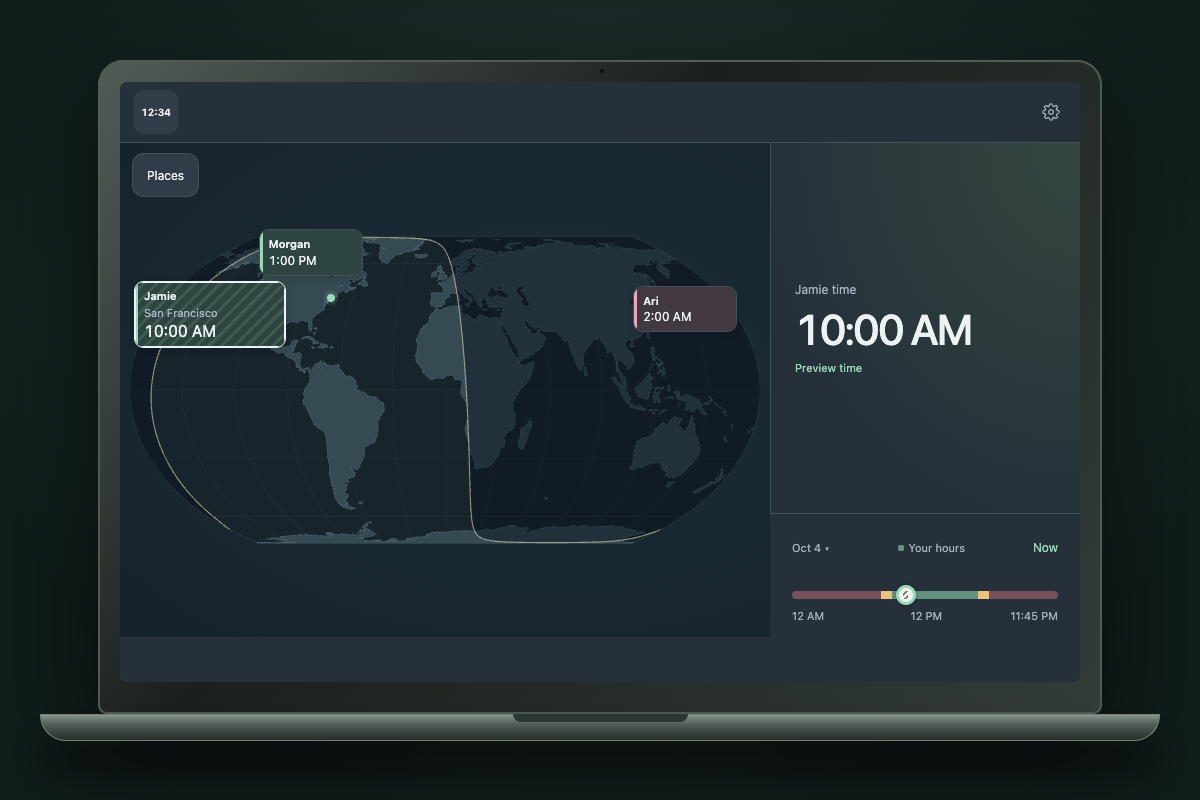
Menu-bar or tray clocks, a floating planner and offline city search. macOS also has native widgets.

The TimeSlider app interface showing a sample team’s world map and shared timeline in a desktop device mockup.
Browser app capture · desktop mockup

Setup & availability

  1. Local development archives are in releases/ in the source workspace. They are not public store downloads.
  2. Mac: install the app and widget companion. Windows: extract the complete portable folder and run TimeSlider.exe.
  3. For source setup and packaging, see desktop/README.md and native-macos/README.md.

Source checkout: desktop/ · Guide: desktop/README.md

Before public release: Distribution signing/notarization, Windows runtime checks and a public release destination.

No public store download is available yet.

Development builds

iPhone & Android

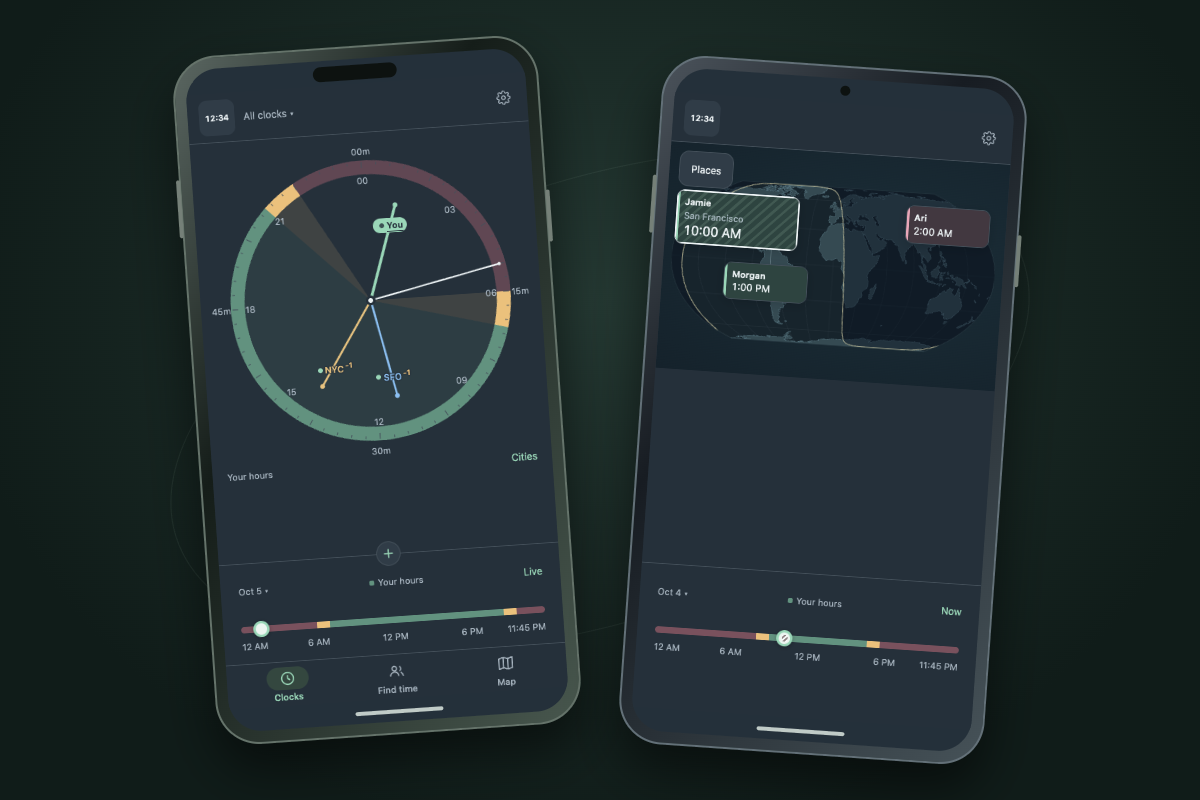
Offline clocks, map planning and optional calendar context on phones and tablets.

TimeSlider’s shared phone interface showing world clocks and a sample world map in two phone mockups.
Browser app captures · phone mockups

Setup & availability

  1. Use mobile/README.md for Expo/React Native build instructions.
  2. The current Android ARM64 APK is a development build. The iOS archive is simulator-only and cannot install on an iPhone.
  3. Signed phone releases and public App Store / Google Play links are pending.

Source checkout: mobile/ · Guide: mobile/README.md

Before public release: Device signing/testing, purchase configuration and store review.

No public store download is available yet.

Platform marks identify compatibility. The Android robot is reproduced from work created and shared by Google and used according to terms described in the Creative Commons 3.0 Attribution License.